



Crypto Payment Solutionsfor POS Systems
SimplifyLabs delivers crypto payment solutions for POS systems that bring Bitcoin, Ethereum, USDT, and 100+ digital currency acceptance to physical retail, restaurants, hotels, and service businesses. Accept crypto at the counter or tableside with a familiar checkout experience, instant confirmation, and automatic fiat settlement—without replacing your existing POS setup.
Advantages
Why SimplifyLabs Stands Out
POS-Compatible Integration
Connect SimplifyLabs to existing POS systems via API or as a standalone terminal solution
QR Code Checkout
Display dynamic QR codes for crypto payments on any screen or tablet—customers scan and pay in under 60 seconds
Instant Confirmation
Payment confirmed and POS transaction completed in under 2 minutes for fast networks, under 60 minutes for Bitcoin
Auto-Convert to Fiat
Every in-store crypto payment settles as fiat—no price volatility, no crypto accounting complexity
100+ Cryptocurrencies
Accept any major coin your customers hold without managing multiple wallets or terminals
Zero Chargebacks
Blockchain-final transactions eliminate in-store payment disputes entirely
Why Us
Why Physical Businesses Choose SimplifyLabs POS Crypto Payments
Works With Your Existing Setup
SimplifyLabs doesn't require replacing your POS hardware or software. Integrate via API to connect crypto payment acceptance to your current system, or use our standalone tablet-based QR checkout alongside your existing terminal. You add a payment option—not a new system.
Faster Than You'd Expect
Customer pays with Bitcoin—wait 10 minutes for confirmation? Not with SimplifyLabs. Configure your POS to accept payments on networks like USDT (TRC-20) or Litecoin that confirm in under 2 minutes. For quick-service environments, fast networks make crypto as practical as card.
Appeal to Crypto-Native Local Customers
In every city, there's a segment of local customers who hold crypto and actively look for merchants that accept it. Being one of those merchants drives organic discovery through crypto directories, social media, and word-of-mouth among the crypto community—free marketing that card acceptance doesn't give you.
No Card Network Fees for In-Person Sales
POS transactions via Visa and Mastercard carry interchange fees, processing fees, and monthly POS terminal fees that add up. SimplifyLabs charges 0.5–1% per transaction with no terminal fees, no monthly minimums, and no chargeback costs. For businesses with high card processing costs, the savings are immediate.
International Visitors Pay Without Currency Barriers
Hotels, tourist retail, restaurants, and attractions serve international visitors who may not carry local currency or have accessible bank cards. Crypto is borderless—a tourist from Japan or Brazil pays in their preferred coin without currency exchange rates or card decline issues.
Fully Branded Counter Experience
Our POS payment widget is fully customizable. Display your logo, brand colors, and supported cryptocurrencies on a dedicated payment screen or tablet. The checkout experience feels like your business, not a generic payment processor.
POS Crypto Payment Flows
with SimplifyLabs
1. 1. In-Store Payments
Cashier enters transaction amount, QR code displays on payment screen, customer scans with wallet app, payment confirms, POS transaction closes. Under 2 minutes for fast networks.
2. 2. Tableside Payments
For restaurants and hospitality, use a tablet-based SimplifyLabs terminal for tableside crypto checkout. Customer scans QR, pays from their seat, tip and total handled in the same flow.
3. 3. Self-Service Kiosk
Integrate SimplifyLabs into self-service checkout kiosks. Customers complete the full crypto payment flow without staff involvement.
4. 4. Event & Pop-Up Sales
Accept crypto at markets, events, and pop-up retail without POS hardware requirements. Any device with a browser or our mobile app works as a payment terminal.
5. 5. Refunds
Process in-store refunds as outgoing crypto transactions from the SimplifyLabs dashboard. Full and partial refund support with audit trails.
Tools
SimplifyLabs POS Crypto Payment Tools
POS Integration API
RESTful API for connecting SimplifyLabs crypto payment acceptance to existing POS systems. Trigger payment requests, receive confirmation webhooks, and close transactions programmatically. SDKs available in major languages.
Web-Based Payment Terminal
Browser-based payment terminal that works on any device—tablet, laptop, or smart display. No app installation required. Display QR codes and manage payment sessions from the browser.
Mobile App
SimplifyLabs mobile app for iOS and Android lets staff generate QR payment requests and confirm transactions on their own device. Ideal for mobile merchants, market stalls, and tableside service.
Dashboard & POS Reporting
Track all in-store crypto transactions, daily settlement totals, and conversion history from the SimplifyLabs dashboard. Export end-of-day reports compatible with your accounting software.
Multi-Location Support
Manage crypto payment acceptance across multiple physical locations from a single SimplifyLabs account. Location-level reporting and configurable settings per site.
Numbers
SimplifyLabs in Figures
100+
Physical Merchants
Physical and omnichannel merchants trust SimplifyLabs for in-store crypto payments
$10M+
Processed Annually
Across retail, hospitality, and food service verticals
99.98%
Uptime
POS payment acceptance never goes offline
50+
Countries
Where SimplifyLabs merchants operate physical locations
<2 min
Avg Confirmation
Average payment confirmation for USDT, LTC, and other fast networks
0%
Chargeback Rate
Across all in-store transaction accounts
Security
Secure Crypto POS Payment Infrastructure
Licensing & Compliance
SimplifyLabs holds financial licenses in EU, UK, and US markets. In-store merchants inherit our compliance framework without additional regulatory burden.
AML Monitoring
Real-time transaction monitoring for in-store payment patterns. Flags unusual cash-equivalent crypto purchases for review in compliance with AML requirements.
Security Infrastructure
Military-grade encryption for all transactions. No card data stored—crypto payments eliminate PCI DSS scope for in-store payments. Multi-signature wallet security and SOC 2 Type II certification.
Data Protection
GDPR and CCPA compliant. Transaction data and customer information stored with bank-level security standards.
How to Add Crypto Payments
to Your POS System
1. 1. Create Your SimplifyLabs Account
Sign up and complete business verification. Physical retail and hospitality accounts typically approved within 24–48 hours.
2. 2. Choose Your Integration Approach
API integration for existing POS systems (1–3 days), or web-based terminal setup for standalone crypto acceptance (under 1 hour). Our team recommends the best approach for your specific POS setup.
3. 3. Configure Payment Options
Set accepted cryptocurrencies, confirmation thresholds, and auto-conversion preferences. For quick-service environments, configure fast networks like USDT and LTC as primary payment options.
4. 4. Train Staff
SimplifyLabs provides staff training materials and walkthrough guides for in-store crypto checkout. Most staff can operate the payment flow after a 10-minute walkthrough.
5. 5. Go Live
Activate crypto payment acceptance in your store. Display your accepted cryptocurrencies at the counter and let your customers discover the option naturally.
Customer Experience
From Your Customer's Perspective
They tell the cashier they want to pay in crypto, a QR code appears on the payment screen, they scan with their wallet app, confirm the amount, and payment is done. Faster than chip-and-PIN for experienced crypto users.
Most Popular Coins
for In-Store Crypto Payments
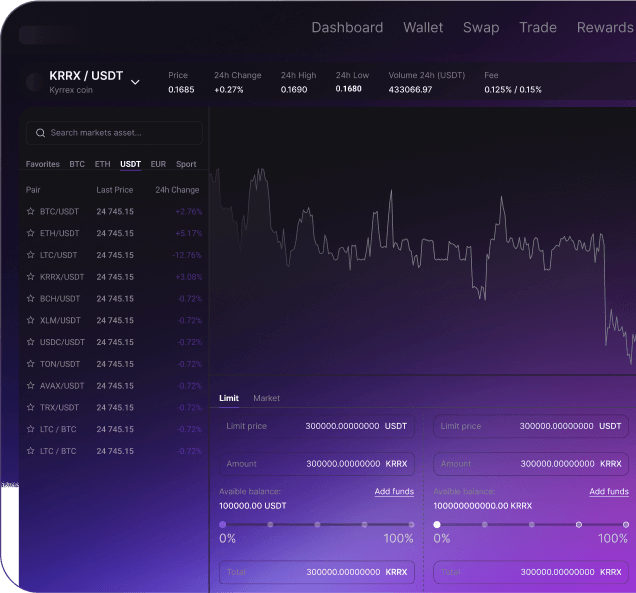
USDT (Tether) – 40% of transactions. Fast confirmation, stable value for in-store use
Bitcoin (BTC) – 29% of transactions. Most widely recognized by walk-in customers
Litecoin (LTC) – 16% of transactions. Fastest confirmation times for retail environments
Ethereum (ETH) – 10% of transactions. Popular in tech districts and coworking areas
DOGE (Dogecoin) – 5% of transactions. Popular in casual retail and F&B contexts
Ready to Accept Cryptoat Your Physical Location?
SimplifyLabs makes in-store crypto payments as simple as displaying a QR code. No new hardware, no complex contracts, no chargeback risk.
FAQ
Crypto Payment Solutions for POS Systems
No. SimplifyLabs works with existing POS systems via API or as a standalone web-based terminal on any device with a browser. Most merchants add crypto payment acceptance without any new hardware.
Configure SimplifyLabs to prioritize fast-confirmation networks for in-store payments. USDT (TRC-20) and Litecoin confirm in under 2 minutes. Recommend these to customers at checkout. Bitcoin is still available for customers who prefer it.
Each payment session has a time window (configurable, typically 15 minutes). If the customer doesn't complete payment within the window, the session expires and the transaction is cancelled in your POS. No funds are moved.
Yes. Configure tip addition in the SimplifyLabs POS flow. Staff can add tip amounts before displaying the final QR code to the customer.
Daily settlements are available via bank transfer for converted fiat payments. The SimplifyLabs dashboard provides end-of-day summaries and transaction logs compatible with standard accounting reconciliation.
Yes. Webhook integration delivers real-time payment confirmation to your POS system. For standalone terminal use, the SimplifyLabs interface shows confirmation status live on screen.
Crypto payments don't involve cardholder data—they have no PCI DSS scope. Adding SimplifyLabs crypto acceptance doesn't add to your PCI compliance burden. It may actually reduce it by shifting some transactions away from card networks.
Payment requests generate a static wallet address and amount. If connectivity drops after the QR is displayed, the customer can still complete the payment from their wallet. SimplifyLabs detects the confirmed transaction when your connection is restored and updates the transaction status.